Screen Innovations Connect Wireless RF Communication
Connects your Solo with up to 75 feet of wireless RF communication, allowing you to control the screen with a number of different connectivity options such as 12v trigger, IR, and Dry Contact.
- 12v trigger, IR, and Dry Contact
- Up to 75 feet
Features
- Connect converts common inputs (IR, DC, etc) to RF signal to control Solo. Program a universal IR remote, or trigger directly via 12V or RJ12.
- Wireless RTS Range (distance of Connect to screen): 70 ft. max. Distance may be reduced by interfering objects such as walls, A/V wiring covering the box, metal furniture, etc or by box orientation. Do not install inside of a metal enclosure.

Orientation
Connect can be oriented horizontally or vertically (horizontal preferred), as long as the built-in IR eye has an unobstructed view of the controlling remote. Enclosures, especially rack-mounts, may interfere with or reduce the strength of the RF signal.
Power Supply
- Power supply included. Power supply operates on 100 – 240VAC, 50/60 Hz.
- Power indicator light visible through the case when the power supply is connected.


Inputs
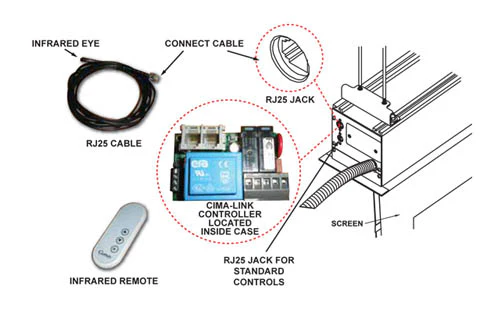
- Front IR eye – for use with Universal Remote Controls. LINE-OF-SIGHT operation.
- 12V DC trigger – direct-current trigger deploys screen to lower limit and raises to closed. NON-LINE-OF-SIGHT operation.
- Extended IR trigger. LINE-OF-SIGHT operation.
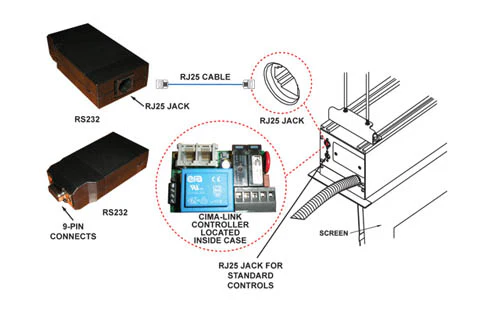
- Dry contact RJ12 jack. See Connect instruction manual for contact pinout. NON-LINE-OF-SIGHT operation.
Original: $304.00
-70%$304.00
$91.20


Description
Connects your Solo with up to 75 feet of wireless RF communication, allowing you to control the screen with a number of different connectivity options such as 12v trigger, IR, and Dry Contact.
- 12v trigger, IR, and Dry Contact
- Up to 75 feet
Features
- Connect converts common inputs (IR, DC, etc) to RF signal to control Solo. Program a universal IR remote, or trigger directly via 12V or RJ12.
- Wireless RTS Range (distance of Connect to screen): 70 ft. max. Distance may be reduced by interfering objects such as walls, A/V wiring covering the box, metal furniture, etc or by box orientation. Do not install inside of a metal enclosure.
Orientation
Connect can be oriented horizontally or vertically (horizontal preferred), as long as the built-in IR eye has an unobstructed view of the controlling remote. Enclosures, especially rack-mounts, may interfere with or reduce the strength of the RF signal.
Power Supply
- Power supply included. Power supply operates on 100 – 240VAC, 50/60 Hz.
- Power indicator light visible through the case when the power supply is connected.
Inputs
- Front IR eye – for use with Universal Remote Controls. LINE-OF-SIGHT operation.
- 12V DC trigger – direct-current trigger deploys screen to lower limit and raises to closed. NON-LINE-OF-SIGHT operation.
- Extended IR trigger. LINE-OF-SIGHT operation.
- Dry contact RJ12 jack. See Connect instruction manual for contact pinout. NON-LINE-OF-SIGHT operation.